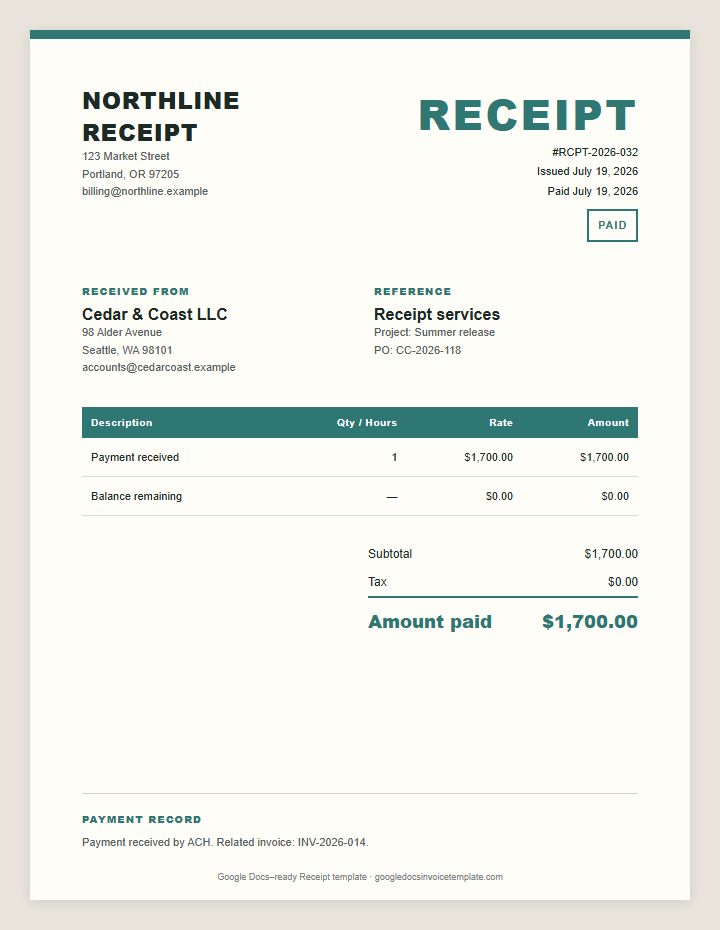
Google Docs Receipt Template
Payment received and balance remaining
Open the Google Docs receipt template. Enter the amount, payment date, method, and payment reference. Export as PDF. Keep one copy. Send one.
Payment received and balance remaining
Choose a Google Docs receipt template for cards, checks, ACH, cash, deposits, or partial payments. Keep the payment reference visible on every file.
Payment received and balance remaining
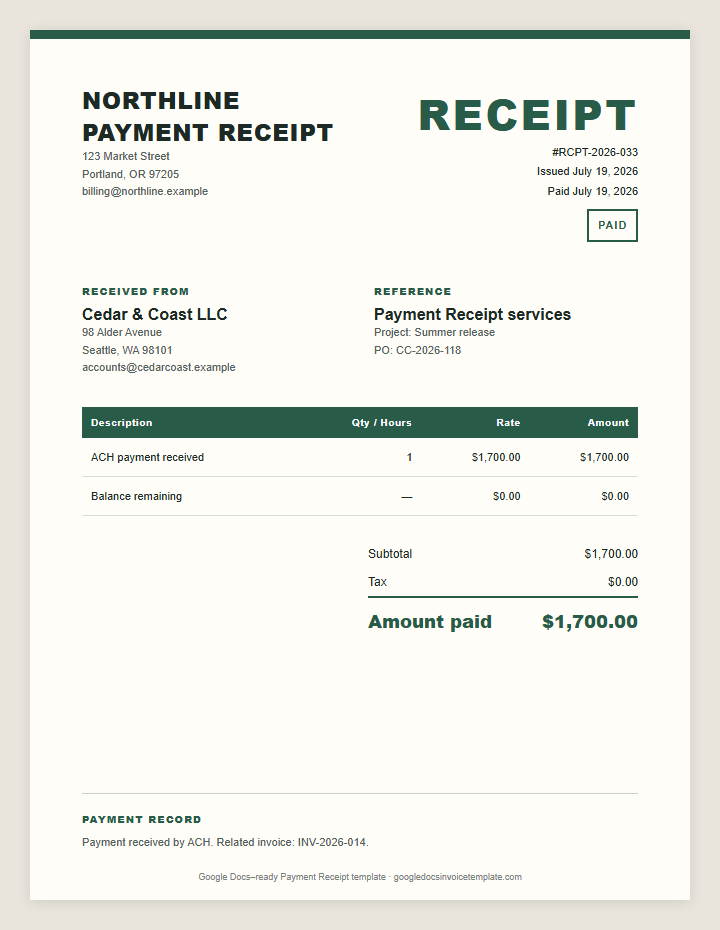
Amount paid, method, and payment reference
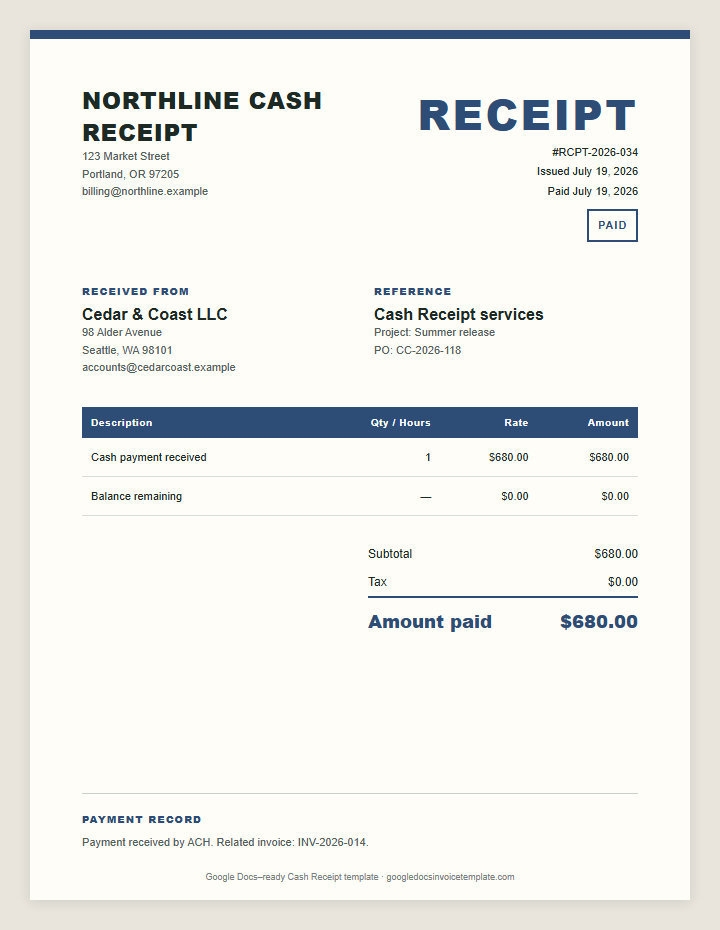
Cash received and balance remaining
Click Make a Copy. Confirm the copy in Google Docs. Rename it Customer-RCPT-2026-014-2026-07-19.
Add the business, customer, document number, and date the payment cleared. Name the method: ACH, check, card, cash, PayPal, or Stripe. Never add full account numbers.
Reference the original charge. For a partial payment, show the amount received and balance due on the document. If one payment covers several charges, list the amount applied to each.
Choose File → Download → PDF Document. Check the payer, amount, date, and payment reference. Email the PDF with the subject “Receipt RCPT-2026-014.” Save it beside the payment record.
An invoice requests payment. A receipt confirms that the payment arrived. The invoice lists the work, amount due, due date, and payment instructions. The confirmation records the amount received, payment date, method, payer, and service. Send it only after the transaction clears.
A payment receipt answers four questions: who paid, how much, when, and for what. A sales receipt may also list products, quantities, tax, and the final paid amount. Use a unique receipt number. Do not mark the record “paid” while an ACH transfer, check, or card payment is still pending.
The order matters. Send the invoice first. Record the cleared payment. Then create the receipt. Keep the same project or payment reference so the client can match the invoice to the confirmation. It should not add a new charge, change the agreed price, or reopen a settled balance. When one document must both request an open balance and confirm what was already paid, the receipt invoice template combines both jobs on a single page.
Deposits need both records. Issue an invoice to request the deposit. After it clears, create a receipt showing the amount received and remaining balance. Repeat the process after each milestone payment. When the project is fully paid, issue a final receipt and keep it with the original invoice for a complete payment trail.
Use the same layout for both files. Label the request INVOICE and the confirmation RECEIPT. Save each confirmation as a fixed PDF. Store it with the invoice in the same client folder. A clear payment trail prevents duplicate requests and makes reconciliation faster.
Send a receipt whenever a client needs proof that a payment reached you. Issue a payment receipt after each cleared deposit, retainer, milestone payment, partial payment, or final balance. The document connects the transaction to the exact service, project, or payment reference.
Use the Google Docs receipt template for recurring clients as well. State the service period on every document. For a project deposit, name the project and milestone. For a partial payment, show the amount received and remaining balance so the customer knows what is still open.
Use a cash receipt or sales receipt when the customer does not have a useful digital record. Add the receipt date, amount, method, and payer name. For checks, wait for the funds to clear before calling it final. Keep processor confirmations with your records.
This workflow works well when you issue a small number of receipts and do not need bookkeeping automation. Keep one branded master, duplicate it after each payment, replace the fields, and export a fixed PDF. If you process dozens of receipts each week, use accounting software or your payment processor for automatic records.
Create one folder per client. Save the editable source file and sent PDF. Use sequential receipt numbers such as RCPT-2026-001. The sequence finds records faster than searching by amount.
Use consistent file names. Ridgeline-RCPT-2026-008-2026-07-19.pdf identifies the client, receipt number, and date before you open it.
Store PDFs by year and client. Use one naming pattern across the business. Start with the customer name, add the record number, then add the date in YYYY-MM-DD format. This keeps files in order and makes searches faster.
Back up the folder once a month. Limit access to people who handle billing. For a workspace, assign one person to issue numbers so two payments never receive the same identifier. Reconcile the folder against your bank or payment processor at month end. Mark refunds, reversals, and chargebacks in a separate note instead of editing the original PDF.
Need another billing layout? Return to the homepage and choose a file that matches the way you charge.
An invoice requests payment. A receipt confirms payment. Send the payment request first, then issue the receipt after the money clears.
Include the payer and business names, receipt number, payment date, amount, payment method, related payment reference, what the payment covered, and any balance remaining.
Yes. Keep it with the matching bank, card, or payment-processor record.
Copy the file, add the payment details, confirm the amount and date, export a PDF, and email it.